
An iOS torrent client with Files integration, background transfers, magnet links, and built-in media playback.
Version 2.0.14 · Developer XITRIX · 20.2 MB in the referenced package · Updated 2026-08-18
iTorrent IPA Features
Review the main features and current compatibility notes before installing.
Files app support
Store downloaded files in the iOS Files app and move or share completed content through the standard file workflow.
Background downloads
Continue supported torrent transfers while using other parts of the device, subject to iOS background behavior.
Magnet and torrent links
Open magnet links or torrent files from supported share and browser workflows.
Built-in playback
Preview compatible media with the built-in VLC-based player, including Picture in Picture and AirPlay where supported.
Selective downloads
Choose which files in a torrent should be transferred instead of downloading every item automatically.
Notifications and sharing
Receive completion notifications and share downloaded files through the iOS system interfaces.
What Is iTorrent IPA?
An iOS torrent client with Files integration, background transfers, magnet links, and built-in media playback.
iTorrent is a third-party torrent client. Transfer performance, background behavior, playback support, availability, and signing depend on the iOS version, device, network, and installer.
Related guides: LiveContainer IPA, SideStore IPA setup, UTM IPA, install IPA on iPhone, what is an IPA file, sideload without jailbreak.
What’s New in iTorrent v2.0.14
This page references the v2.0.14 package listed in the project’s community metadata and official release URL. The iLoader catalog may show a different current build, so verify before downloading.
Before Installing iTorrent
Check compatibility
The official project describes iTorrent as an iOS 16+ torrent client. Confirm the current iLoader catalog entry and device support before installing.
Prepare signing
An iPhone or iPad compatible with the current iTorrent package,SideStore or AltStore, which the official project identifies as supported sideloading methods,The iTorrent.ipa file saved from the iLoader catalog or official project release
How to Install iTorrent IPA Using iLoader
Use the iLoader app card to download iTorrent.ipa, import it, and complete the signing workflow.
These desktop states were captured from the running iLoader source demo with iTorrent, the app-specific Apple ID, and iTorrent.ipa rendered dynamically.
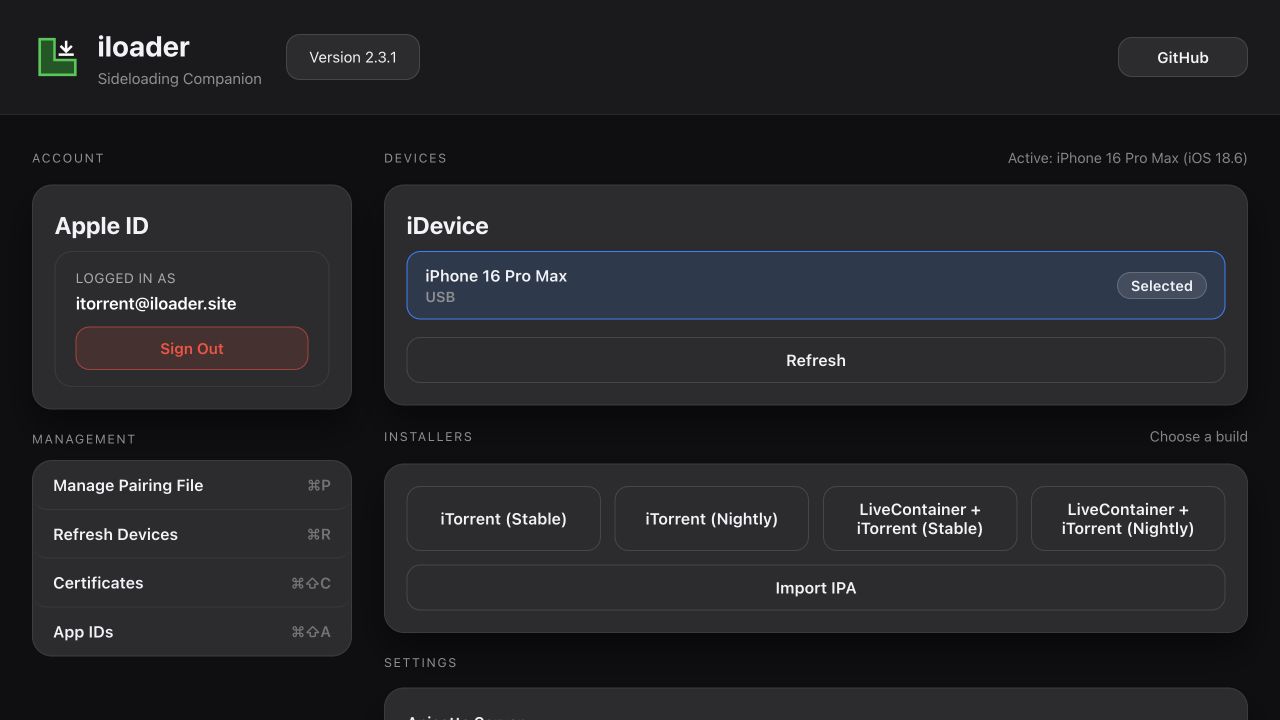
Prepare iLoader
Open iLoader, connect the intended device, and confirm the app-specific account and installer state.
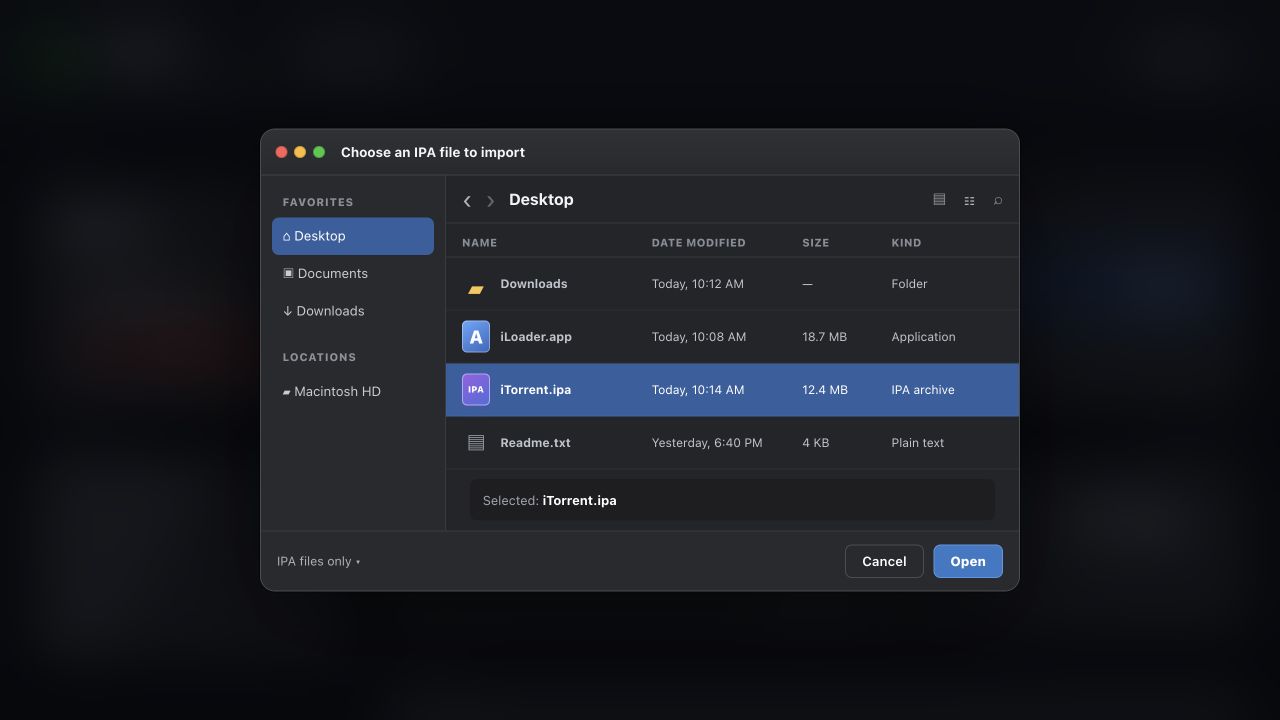
Import iTorrent.ipa
Choose Import IPA, select iTorrent.ipa, and press Open.
After Installation and Troubleshooting
If the app does not open, verify the signing status, device compatibility, and refresh requirements before reinstalling.
iTorrent IPA FAQ
What is iTorrent IPA?
iTorrent IPA is the installable iOS package for iTorrent, a torrent client with Files support, background transfers, magnet links, and media playback.
Where can I download iTorrent IPA?
Use the iTorrent search entry in the iLoader Premium IPAs catalog, or verify the official XITRIX project release before downloading a package.
Can I install iTorrent with SideStore?
Yes, the official project identifies SideStore and AltStore as supported sideloading routes. Confirm the current package and device requirements first.
Does iTorrent support magnet links?
The project describes support for adding magnet links directly from Safari and for downloading torrents by magnet or link.